Table of Contents
ToggleThe iRobot Roomba i7+ launched as a game-changer in robot vacuum tech when it debuted as one of the first models with a self-emptying base. Several years on, the market’s gotten crowded with newer competitors and flashy features. Does the i7+ still hold up for homeowners who want to cut down on vacuuming chores without constant babysitting? This review digs into real-world performance, smart mapping capabilities, and whether the self-emptying convenience justifies the price tag in 2026. If you’re weighing whether to invest in this older flagship or jump to a newer model, here’s what you need to know.
Key Takeaways
- The Roomba i7+ pioneered self-emptying technology with its Clean Base, holding up to 60 days of dirt in a sealed bag—a major convenience upgrade for busy households.
- Smart mapping and room-specific cleaning commands make the i7+ practical for targeted vacuuming, though its vSLAM camera struggles in low-light conditions compared to lidar-equipped competitors.
- Pet owners benefit from the i7+’s tangle-free rubber brushes and high-efficiency filter that captures 99% of allergens, making it effective for shedding dogs and cats.
- Expect annual consumable costs of $120–180 for replacement filters, brushes, and bags, plus a large docking station that requires adequate floor space.
- The Roomba i7+ remains a reliable workhorse for everyday cleaning and convenience-focused users, but newer models offer stronger suction power and better obstacle avoidance at premium price points.
What Makes the Roomba i7+ Stand Out?
The i7+ built its reputation on one killer feature: automatic dirt disposal. After each cleaning run, the robot returns to its Clean Base and empties itself into a sealed bag that holds up to 60 days of dirt and debris. For busy households or anyone tired of emptying dustbins after every run, that’s a serious quality-of-life upgrade.
Beyond self-emptying, the i7+ introduced smart mapping that learns your home’s floor plan and lets you send it to specific rooms on demand. You can tell it to vacuum the kitchen after dinner or hit the living room before guests arrive, no need to run the whole house every time.
The vacuum uses a three-stage cleaning system with dual multi-surface rubber brushes that adjust height automatically to maintain contact on carpet and hard floors. A high-efficiency filter captures 99% of allergens, mold, pollen, and dust mites down to 10 microns. That matters if you’ve got allergies or pets.
Power delivery comes from iRobot’s Power-Lifting Suction, which provides 10x the air power of the Roomba 600 series. It’s not the strongest in the current lineup, but it handles everyday dirt, crumbs, and pet hair without drama.
One standout: Imprint Smart Mapping remembers multiple floor plans, so if you’ve got a multi-story home, the i7+ adapts without starting from scratch each time you move it upstairs.
Smart Mapping and Navigation Technology
The i7+ uses vSLAM (visual simultaneous localization and mapping) navigation, relying on a top-mounted camera and floor-tracking sensors to build and store maps of your home. It doesn’t use lidar like some newer models, but the camera-based system works well in typical lighting conditions.
Once the initial mapping runs are complete, usually takes two or three cleaning cycles, you can name rooms, create Keep Out Zones, and set Clean Zones for targeted spots. That’s handy when you want to avoid area rugs, pet bowls, or charging cables that tend to tangle the brushes.
Navigation is methodical. The i7+ moves in straight, back-and-forth rows rather than the random bump-and-turn pattern of older models. It tracks where it’s been and rarely misses sections, though tight spaces under furniture with less than 3.6 inches of clearance are off-limits due to the vacuum’s height.
One quirk: vSLAM struggles in very dark rooms. If you’re running it at night or in a windowless basement, you might need to leave a light on. According to CNET, camera-based navigation can falter in low-light conditions compared to lidar-equipped competitors.
The vacuum also features Dirt Detect Technology, which uses acoustic sensors to identify high-traffic or dirtier areas and automatically boosts suction or makes extra passes. It’s not foolproof, but it does catch crumb-heavy zones near dining tables or entryways.
The Clean Base Automatic Dirt Disposal System
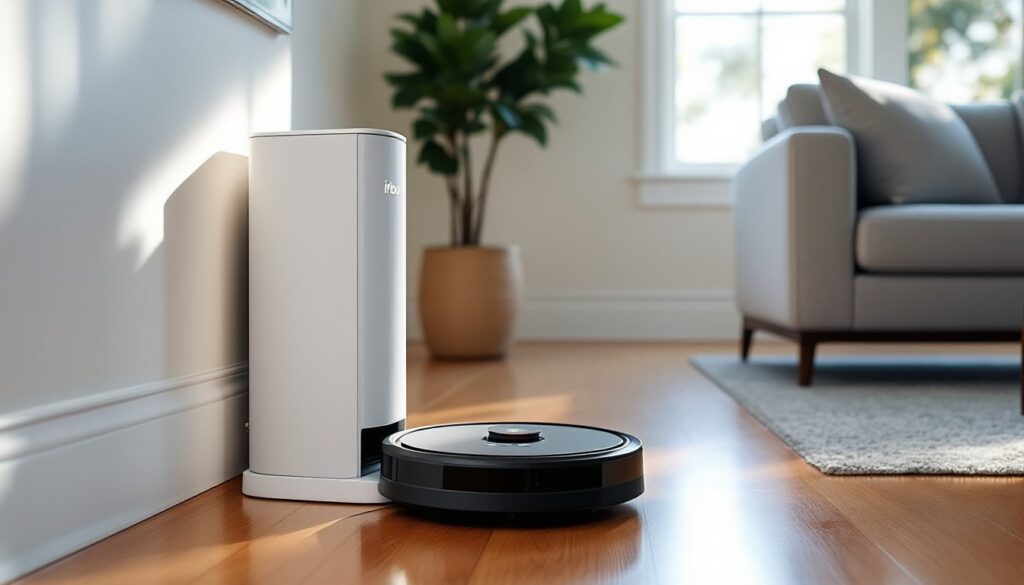
This is the i7+’s headline feature. The Clean Base is a tower docking station that doubles as a charging dock and dirt receptacle. After each cleaning session, the vacuum docks and triggers a 10-15 second suction cycle that pulls debris from the robot’s bin into a disposable AllergenLock bag inside the base.
Each bag holds roughly 60 bins’ worth of dirt, which translates to 30-60 days for most households depending on home size, pets, and how often you run it. When the bag’s full, an indicator light on the base turns on. You pop the top, pull out the sealed bag, toss it, and drop in a replacement. The whole swap takes under a minute.
Replacement bags run about $20-25 for a pack of three, so figure roughly $7-8 per bag and $80-100 per year if you’re changing monthly. That’s an ongoing cost to factor in. You can technically reuse bags if you’re careful cutting them open and resealing, but iRobot doesn’t recommend it due to dust exposure and loss of the allergen seal.
The emptying process is loud, around 70-75 dB for those 10-15 seconds. Not a big deal during the day, but it’ll wake light sleepers if the vacuum finishes a midnight run. You can disable auto-empty via the app and manually trigger it when convenient.
One caution: the Clean Base is large, about 12 inches wide, 15 inches deep, and 19 inches tall. Make sure you’ve got the floor and wall space in a laundry room, closet, or corner before committing. It’s not exactly furniture-friendly in tight quarters.
Performance on Different Floor Types and Pet Hair
On hardwood, tile, and laminate, the i7+ excels. The dual rubber brushes don’t scatter debris like bristle brushes can, and the edge-sweeping brush pulls dirt from baseboards and corners. Fine dust, cereal, coffee grounds, all picked up without issue.
Carpet performance is solid on low- to medium-pile. The vacuum auto-adjusts brush height and increases suction when it detects carpet, which helps with embedded dirt and pet hair. High-pile or shag rugs are tougher: the i7+ can handle them, but you might need to run it twice or use a traditional vacuum for deep cleaning.
Pet hair is where the i7+ shines. The tangle-free rubber rollers resist hair wrap better than bristle brushes, and the high-efficiency filter traps dander. If you’ve got shedding dogs or cats, many reviews, including one from Tom’s Guide, note the i7+ keeps up with daily fur without clogging.
One limitation: the i7+ doesn’t have the suction power of newer flagship models like the j7+ or s9+. On deep carpet with ground-in dirt, it’s good but not great. For surface-level maintenance between deep cleans, it’s more than adequate.
Runtime is roughly 75 minutes on a full charge. If your home is larger than about 1,500-1,800 square feet, the vacuum will pause mid-clean, return to recharge, then resume where it left off. Recharge time is around 90 minutes, so bigger homes might see a total cleaning time of 2-3 hours including recharge breaks.
Edge and corner cleaning is decent but not perfect. The round shape means it can’t get into 90-degree corners as well as D-shaped models. You’ll still want to hit baseboards and tight edges with a stick vac or broom occasionally.
App Control and Smart Home Integration
The iRobot Home app (iOS and Android) is straightforward and stable. You can start, stop, and schedule cleaning runs, view cleaning history, check bin and filter status, and customize maps. The interface isn’t flashy, but it’s functional.
Scheduling is flexible: set daily or weekly routines, pick specific rooms, and choose cleaning modes. You can also trigger on-demand cleans by room, useful when someone spills in the dining area and you don’t want to vacuum the whole house.
The i7+ supports Amazon Alexa and Google Assistant voice control. Commands like “Alexa, tell Roomba to vacuum the kitchen” work reliably once you’ve linked accounts and named rooms in the app. Apple HomeKit isn’t supported, which is a miss if you’re deep in that ecosystem.
IFTTT integration is available, so you can create custom automations, like triggering a cleaning run when your smart lock detects you’ve left home or stopping the vacuum when your video doorbell rings. According to Digital Trends, smart home integration has become a standard expectation for connected devices in 2026, and the i7+ checks most boxes.
One annoyance: the app occasionally lags or loses connection mid-clean, especially on older Wi-Fi routers. Make sure your 2.4 GHz network is stable (the i7+ doesn’t support 5 GHz). Firmware updates are pushed automatically, which helps keep features current and fix bugs.
No subscription is required for core features, but iRobot offers iRobot Genius Home Intelligence features via free updates, including seasonal cleaning suggestions and smart room recommendations based on your habits.
Maintenance Requirements and Long-Term Costs
Regular upkeep is light but necessary. Empty the robot’s bin manually if you’re not using the Clean Base, or let the base handle it. Check and clean the brushes weekly, hair and string can still wrap around the axles even with tangle-free rollers. Pop the brushes out, cut away debris, and snap them back in. Takes about two minutes.
The high-efficiency filter should be replaced every two months or sooner if you have pets. Filters run about $15-20 for a three-pack. The edge-sweeping brush wears out after 6-12 months depending on use: replacements are $10-15. The dual multi-surface brushes last 6-12 months and cost around $30-40 per set.
Clean the front caster wheel and cliff sensors monthly with a dry cloth. Dust and pet hair gum up the wheel, causing navigation errors. The cliff sensors (small black windows on the underside) need to stay clear or the vacuum thinks it’s at a staircase and won’t move.
Battery replacement eventually becomes an issue. The lithium-ion battery typically lasts 2-3 years with regular use. OEM replacements run $60-80, and swapping it requires removing a few screws on the underside, doable for most DIYers but slightly finicky.
AllergenLock bags for the Clean Base add roughly $80-100 annually. You can extend bag life by running the vacuum less frequently or manually emptying the robot’s bin every few runs and only using the base weekly, but that defeats the convenience factor.
Total annual consumable costs (filters, brushes, bags) range from $120-180 depending on usage and household conditions. That’s typical for robot vacuums but something to budget for.
One upside: iRobot’s customer support and parts availability are strong. Replacement parts are easy to find online, and the company provides detailed maintenance videos and troubleshooting guides.
Conclusion
The Roomba i7+ isn’t the newest or most powerful robot vacuum in 2026, but it still delivers where it counts: reliable smart mapping, effective pet hair pickup, and genuinely hands-off dirt disposal. If you value convenience over cutting-edge suction and you’re okay with the ongoing bag costs, it’s a proven workhorse that handles daily maintenance without fuss. Just know that newer models offer stronger suction, better obstacle avoidance, and quieter operation, so weigh your priorities and budget before pulling the trigger.