Table of Contents
ToggleThe IKEA Bekant standing desk has been a go-to option for budget-conscious buyers who want adjustable height without the premium price tag. With electric motor operation, clean Scandinavian design, and availability in multiple sizes and finishes, it’s carved out a solid niche in the crowded sit-stand desk market. But how does it actually hold up during assembly, daily use, and long-term wear? This guide walks through everything a DIYer or home office builder needs to know, from unboxing and setup to performance quirks, customization hacks, and whether it’s the right fit for your workspace in 2026.
Key Takeaways
- The IKEA Bekant standing desk offers one of the best price-to-feature ratios for electric sit-stand desks in 2026, making it ideal for budget-conscious home office builders.
- The Bekant’s height range of approximately 22⅞” to 48″ accommodates most users between 5’4″ and 6’2″, though taller users may need monitor risers for optimal ergonomics.
- Particleboard construction keeps costs low but sacrifices durability compared to solid wood or commercial-grade alternatives, so treat desktops as replaceable surfaces.
- Assembly takes 60 to 90 minutes with basic tools, but stability decreases noticeably when the desk is raised above 40″, requiring careful monitor arm placement to minimize wobble.
- The 154 lb weight capacity limit means the Bekant is best suited for lightweight monitor setups rather than multiple screens or heavy desktop equipment.
- DIY upgrades like desktop swaps, aftermarket memory controllers, and lateral stabilizing braces can enhance the Bekant’s durability and functionality without voiding warranties.
What Makes the IKEA Bekant Standing Desk a Popular Choice?
The Bekant’s appeal boils down to three factors: price, availability, and simplicity. As of 2026, it remains one of the most affordable electric standing desks on the market, typically priced well below competitors like Uplift, Fully Jarvis, or even lower-tier brands sold exclusively online. You can walk into an IKEA store, see the unit in person, and haul it home the same day, no waiting for freight shipping or dealing with sketchy third-party sellers.
The design is deliberately minimal. There’s no app connectivity, no memory presets (on the base model), and no flashy LED displays. For someone who just wants a desk that goes up and down reliably, that’s a feature, not a bug. The dual-motor electric lift system handles height adjustment smoothly, and the frame accommodates common desktop sizes without requiring custom builds.
IKEA’s global supply chain also means replacement parts and accessories are easier to source than boutique brands. If a motor fails or a tabletop gets damaged, you’re not hunting down a discontinued SKU from a startup that folded two years ago. That peace of mind matters for a piece of furniture you’ll use daily for years.
Key Features and Specifications of the Bekant
The Bekant comes in two main desktop sizes: 63″ × 31½” and 55″ × 25⅝”. Both use a particleboard core with melamine or veneer surface finishes (white, black, oak veneer, and linoleum variants are common). The particleboard construction keeps weight and cost down but isn’t as durable as solid wood or high-density fiberboard tops.
Height range spans approximately 22⅞” to 48″ (adjustments vary slightly depending on the desktop thickness and year of manufacture). That’s enough clearance for seated work at the low end and standing for users up to about 6’2″ at the high end. Taller users may find the max height a few inches short of ideal ergonomic positioning.
The electric lift system uses two motors (one per leg assembly) controlled by a simple up/down paddle switch. There’s no digital readout on the standard model, so setting precise, repeatable heights requires aftermarket add-ons or tape markers. The motor is rated for a maximum load of around 154 lbs (70 kg), which includes the desktop weight. In practice, that means a monitor, laptop, desk lamp, and a few books are fine, but stacking heavy equipment or multiple large monitors pushes the limit.
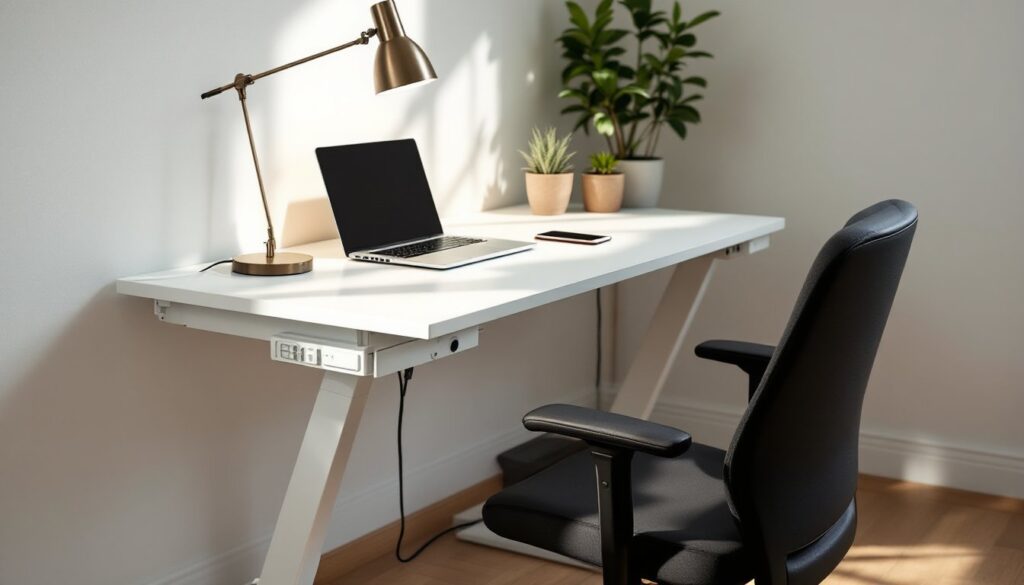
Cable management is basic: a plastic tray clips under the desktop to corral power strips and loose cables. It’s functional but not elegant. The frame itself is powder-coated steel, available in white, black, or gray to match the desktop finish.
Assembly and Installation: What to Expect
Plan on 60 to 90 minutes for a solo build, less if you have a second pair of hands. The Bekant ships flat-packed in two boxes, one for the desktop, one for the frame and hardware. You’ll need a Phillips-head screwdriver and the included hex key: an electric drill with a Phillips bit speeds things up but isn’t required.
Start by assembling the leg frames. Each leg is a T-shaped unit with a horizontal beam that mounts to the underside of the desktop. The motor and wiring are pre-installed, so you’re just bolting pieces together. Pay attention to left/right orientation, mixing them up is the most common assembly mistake and requires disassembly to fix.
Once the legs are built, flip the desktop upside down on a clean, padded surface (use the packaging cardboard or a moving blanket to avoid scratching the finish). Position the leg assemblies according to the pre-drilled holes in the desktop. IKEA provides a paper template in the box: use it. Eyeballing the placement leads to crooked legs and wobble.
Secure each leg with the provided screws, then connect the motor control cable between the two leg units and plug in the power supply. The wiring is color-coded and keyed, so there’s no risk of miswiring. Flip the desk upright, plug it in, and test the up/down function before loading it with gear. If one leg doesn’t move or runs slower than the other, double-check the cable connections.
Safety note: The desktop is heavy (around 45–55 lbs depending on size). Get help flipping it over, especially if you’re working on carpet or an uneven surface. Dropping it on a finger or toe is a real risk.
Real-World Performance and Ergonomics
The Bekant operates quietly, motor noise is comparable to a refrigerator compressor, noticeable but not disruptive during video calls. Transition speed is moderate: full travel from seated to standing height takes about 15–20 seconds. That’s slower than premium desks but fast enough that you won’t skip adjustments out of impatience.
Stability is the biggest performance variable. At seated height (under 30″), the desk feels solid with minimal lateral wobble. As you raise it past 40″, side-to-side sway becomes noticeable, especially if you lean on the desktop or type aggressively. This is physics, not a defect, tall, narrow leg assemblies have less rigidity than wider frames. Adding a monitor arm or desk clamp accessories can amplify wobble, so mount them closer to the leg assemblies rather than at the center of the span.
The particleboard desktop holds up fine under normal use, coffee spills, keyboard scratches, and minor impacts won’t ruin it if you clean promptly. But it’s not bulletproof. Dragging heavy objects across the surface, spilling liquids near the edges (where the particleboard core can swell), or setting hot items directly on the veneer will cause damage. Many design-focused workspaces treat desktops as replaceable surfaces, which is a smart mindset here.
Ergonomics depend on your height. For users between 5’4″ and 6’2″, the Bekant’s range works well with a standard monitor setup. Shorter or taller users may need a footrest at the low end or a monitor riser at the high end to maintain neutral wrist and neck angles. The desk doesn’t include any anti-fatigue mat or ergonomic accessories, so budget separately for those if you plan to stand for extended periods.
Pros and Cons: Is the Bekant Worth Your Money?
Pros:
- Affordability: Hard to beat the price-to-feature ratio for an electric sit-stand desk in 2026.
- In-store availability: No shipping delays, and you can inspect the unit before buying.
- Straightforward assembly: No specialized tools or professional installation required.
- Replacement parts: IKEA’s supply chain makes sourcing motors, cables, or desktops easier than niche brands.
- Clean aesthetic: Scandinavian minimalism fits a wide range of home office styles, as seen in galleries on home design platforms.
Cons:
- Particleboard durability: Not as robust as solid wood or commercial-grade laminate tops.
- Stability at full height: Noticeable wobble when raised above 40″, especially with heavy monitor setups.
- No memory presets: Standard model requires manual adjustment each time (aftermarket upgrades available).
- Weight capacity: 154 lb max load is limiting for users with multiple monitors, desktop PCs, or heavy audio equipment.
- Limited customization: Desktop sizes and finishes are fixed: you can’t mix-and-match components like some modular systems.
Bottom line: The Bekant is a solid entry-level standing desk for someone who prioritizes budget and simplicity over premium features. If you need bombproof construction, higher weight capacity, or advanced controls, budget an extra few hundred dollars for a different platform.
Customization Ideas and DIY Upgrades
The Bekant’s standardized design makes it ripe for DIY modifications. Here are upgrades that improve performance without voiding any meaningful warranty:
Swap the desktop: The leg frame accepts any flat surface with the correct hole spacing (roughly 27½” × 19⅝” for the mounting points). Users have successfully mounted butcher block, bamboo, and 3/4″ plywood tops for better durability and aesthetics. Pre-drill the mounting holes carefully, particleboard is forgiving, but hardwood splits if you rush.
Add memory presets: Third-party touchscreen controllers replace the basic paddle switch with programmable height memory. Installation requires splicing into the existing motor wiring, so follow manufacturer instructions closely and disconnect power before starting. This upgrade is especially useful if multiple people share the desk.
Stabilize the frame: A lateral cross-brace between the two leg assemblies reduces side-to-side wobble at standing height. Some users fabricate braces from ¾” × 2″ aluminum bar stock or 1″ × 3″ nominal lumber (actual ¾” × 2½”). Clamp or bolt it to the underside of the desktop, spanning between the leg frames. Don’t attach it to the motor housings, that can interfere with operation.
Improve cable management: Replace the flimsy plastic tray with a wire mesh basket or adhesive cable channels. Run power and data cables along the leg assemblies using hook-and-loop straps to keep them out of the motor path during height changes.
Surface protection: Apply a clear polyurethane topcoat or desk pad to extend the life of the particleboard surface, especially if you work with tools, art supplies, or eat at your desk regularly.
Conclusion
The IKEA Bekant standing desk delivers reliable electric height adjustment and clean design at a budget-friendly price point. It’s not the strongest, quietest, or most customizable option out there, but for someone building a home office without a fortune to spend, it’s a practical starting point. Assembly is straightforward, performance is adequate for typical office tasks, and the platform supports sensible DIY upgrades if you want to dial in ergonomics or durability. Just go in with realistic expectations about weight capacity and stability at full height, and you’ll get solid value for the money.